Product capabilities

Manual backtesting from replay to report.

TradeChrono combines historical market replay, an MT5-familiar simulated trade workflow, session continuity, and quantitative review in one Windows desktop application.

Designed forManual Forex traders

Discretionary and rule-based decisions made from the chart.

01

Market Replay

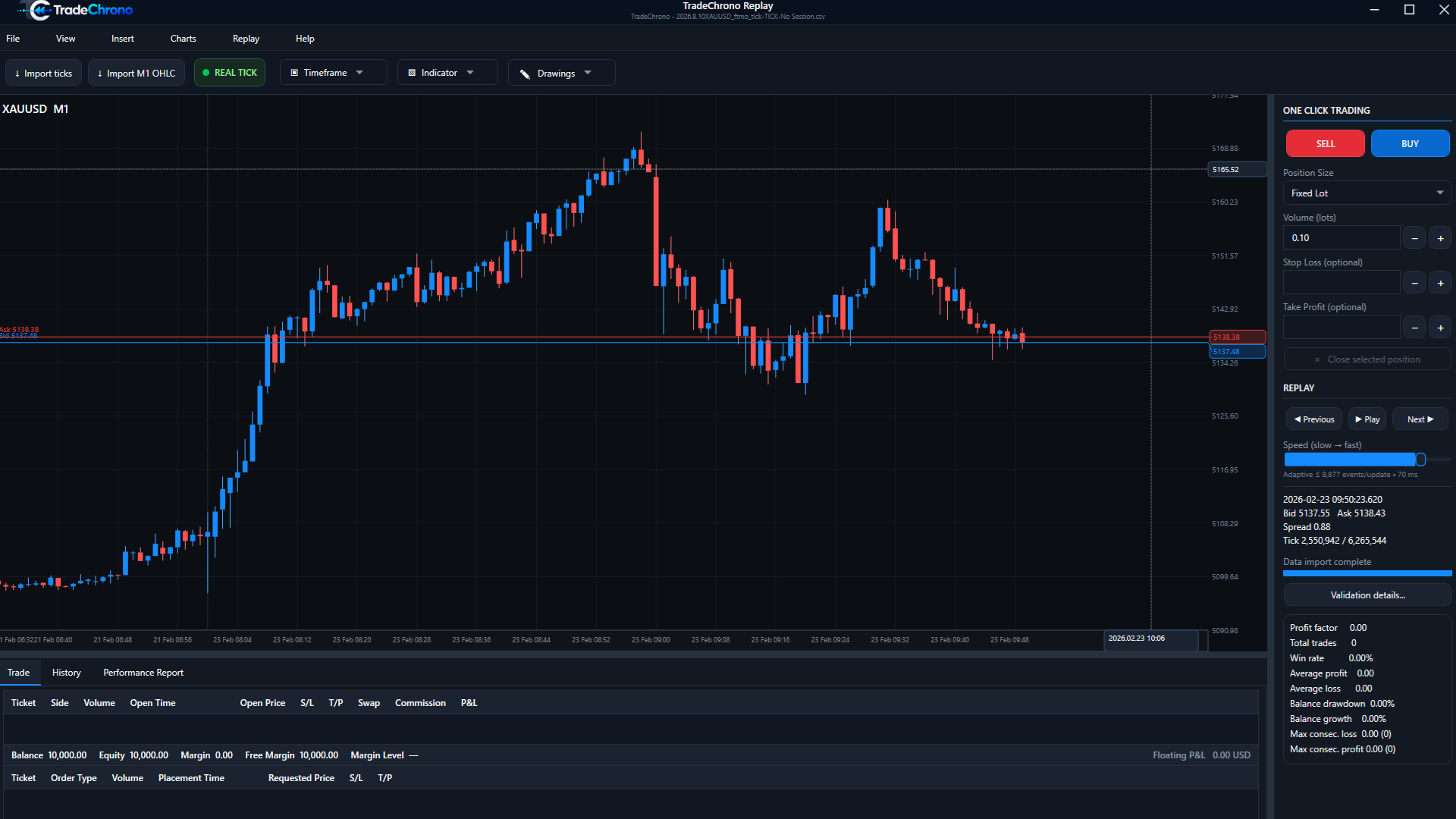
Control the pace of a historical market and examine decisions candle by candle.

  • Historical replay
  • Replay speed controls
  • Previous / Next Candle
  • Candle navigation
  • Restart and replay workflow
Market ReplayTradeChrono historical market replay showing XAUUSD candles and Previous, Play, Next, and speed controls.
02

Historical Data

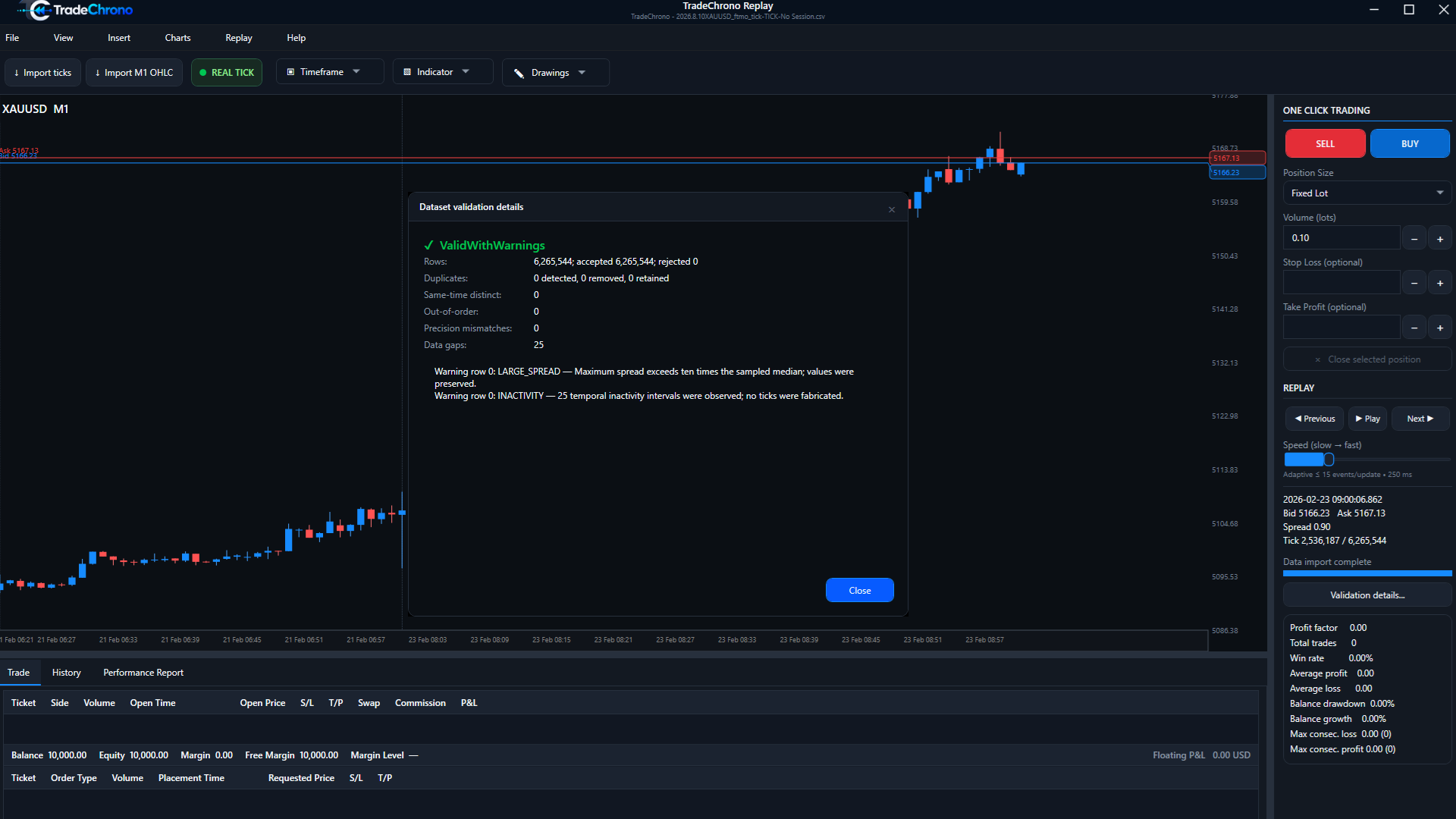
Real Tick uses imported historical ticks where available. M1 Synthetic generates deterministic intrabar movement from M1 OHLC; it is not a recording of real ticks.
  • Real Tick mode
  • M1 Synthetic mode
  • Deterministic processing
  • Dataset validation
  • Historical data import workflow
Historical DataTradeChrono historical-data validation dialog showing row, duplicate, ordering, gap, spread, and inactivity checks.
03

Trade Execution

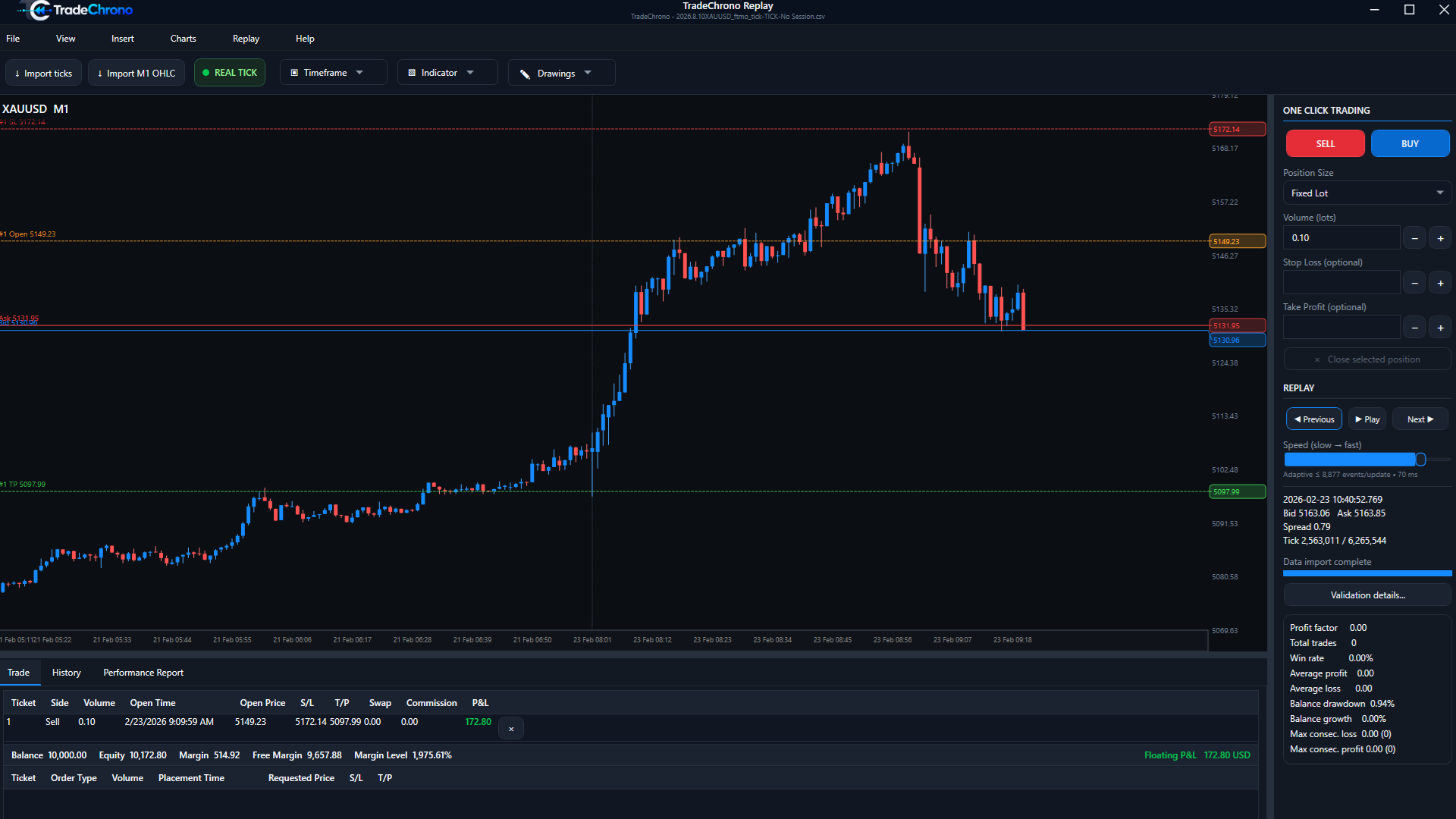
Practice the mechanics around an MT5-familiar manual trade lifecycle.
  • Market Buy / Sell
  • Buy / Sell Limit
  • Pending orders
  • SL / TP
  • Modify and partial close
  • Commission and swap
  • Stop-out behavior
Trade ExecutionTradeChrono one-click simulated trading interface with SELL and BUY controls and an open test position.
04

Chart Workflow

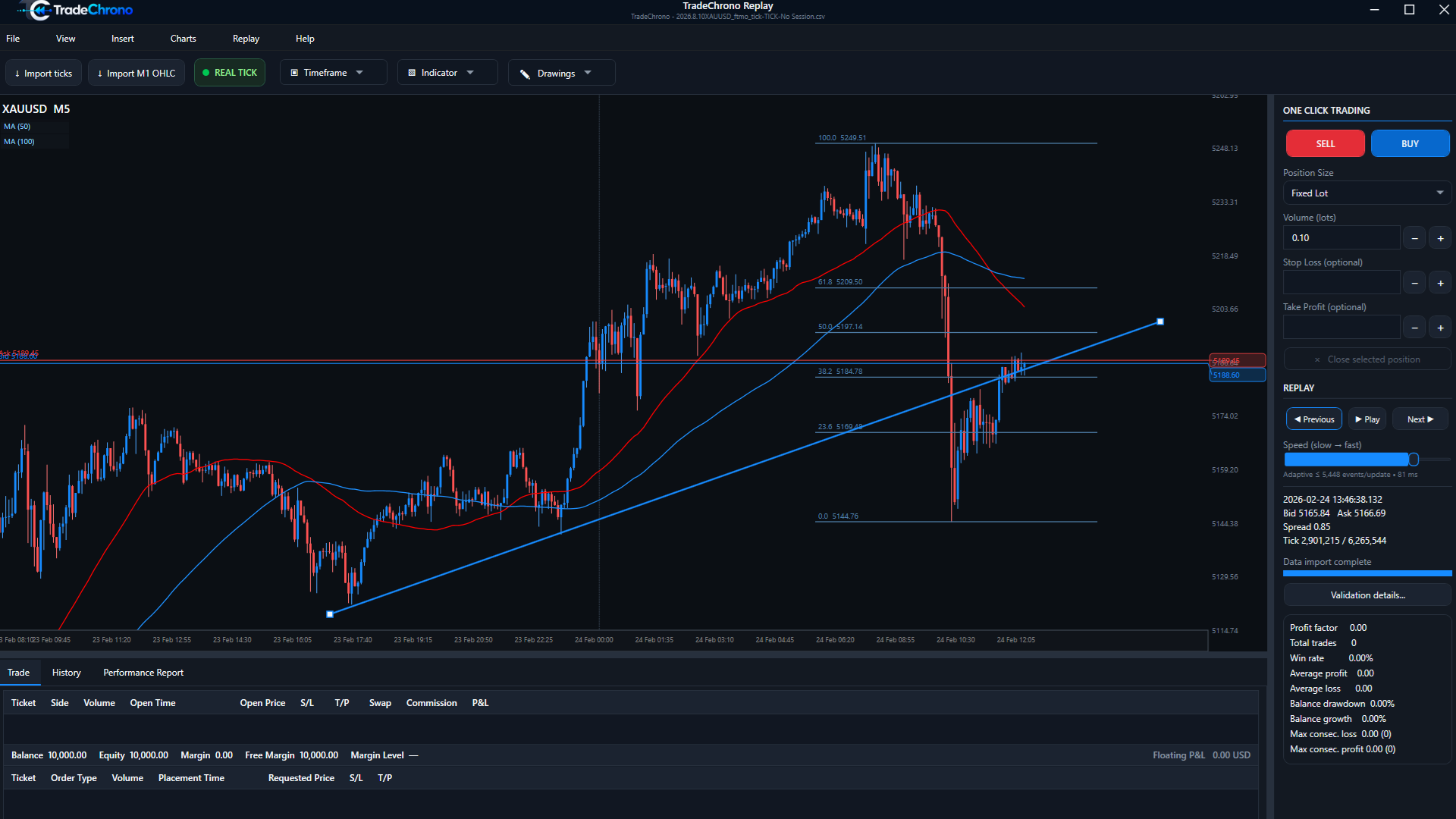
Keep the decision process on the chart rather than inside an automation engine.
  • Indicators
  • Drawing tools
  • Draggable trade levels
  • Chart markers
  • Separate indicator panes
  • Customizable panels
Chart WorkflowTradeChrono chart analysis with moving averages, Fibonacci levels, and a trend line on historical XAUUSD candles.
05

Sessions

Return to a test without rebuilding the workspace from memory.
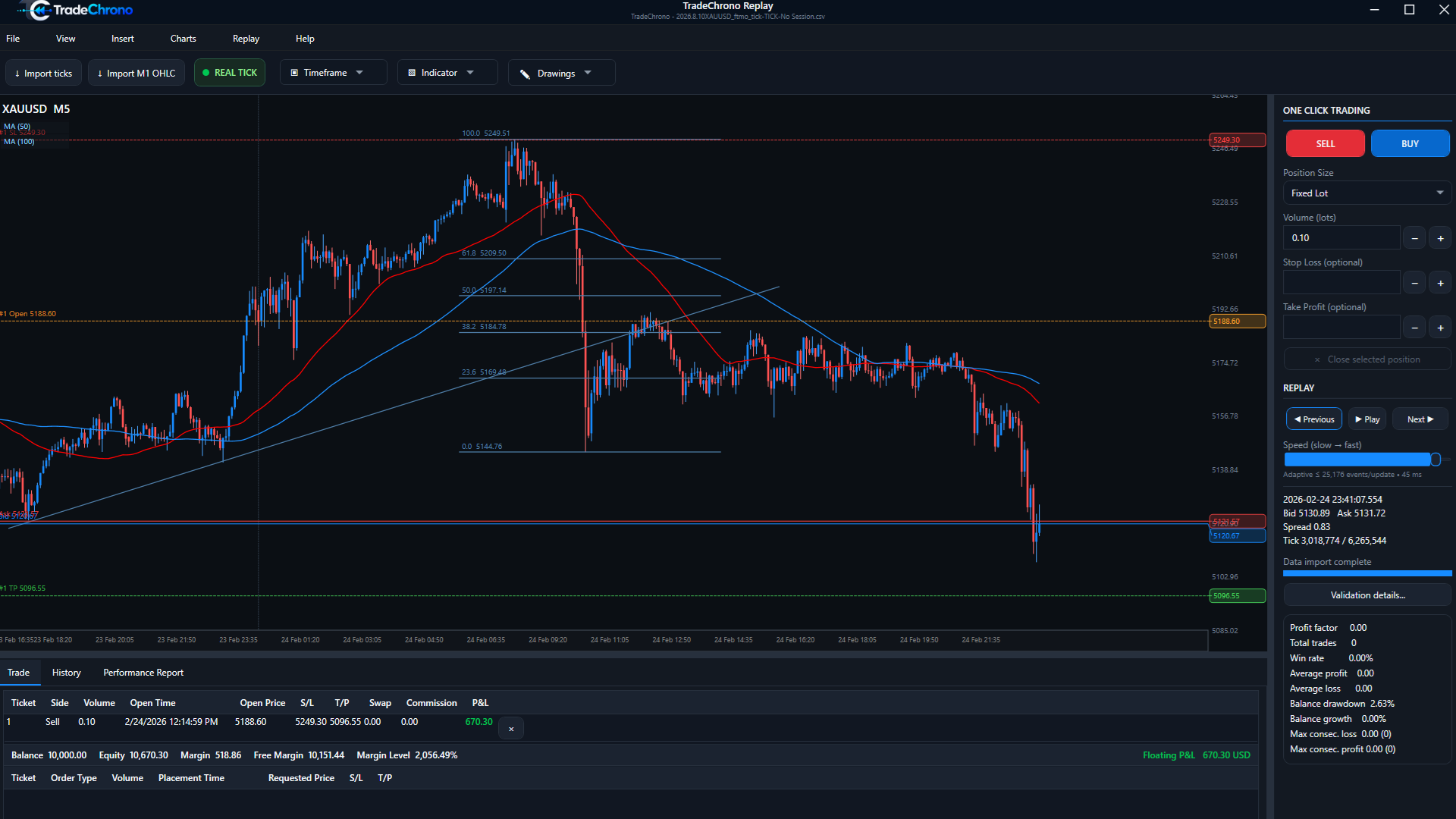
  • Save and restore
  • Autosave
  • Crash recovery
  • Viewport persistence
  • Layout persistence
SessionsTradeChrono simulated open position with entry, stop-loss, take-profit, and position metrics on the chart.
06

Reports

Move from chart impressions to a structured review of the completed test.
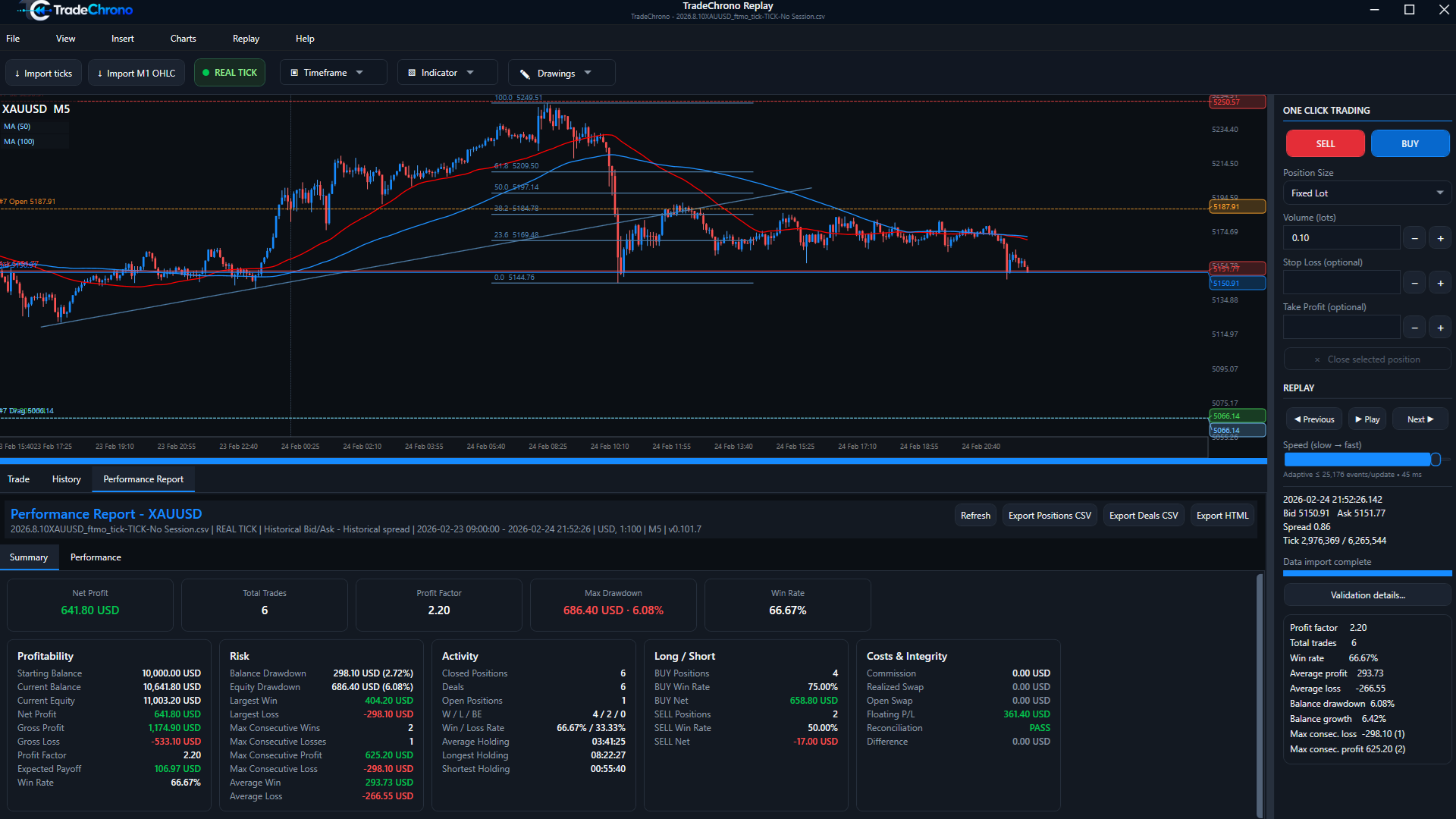
  • Performance statistics
  • Balance and equity
  • Drawdown
  • Costs
  • CSV export
  • Offline HTML report
ReportsTradeChrono backtest performance summary showing simulated result, trade count, drawdown, win rate, and cost metrics.
Displayed values are simulated historical backtest output.

Clear boundary

Simulation software—not a live trading service.

TradeChrono is historical market replay and manual backtesting software. It does not execute live trades, operate as a broker, hold or transfer customer funds, provide currency-exchange services, trading signals or personalized investment advice, or guarantee profits or trading results.

Free Demo Details