MT5-style simulated execution
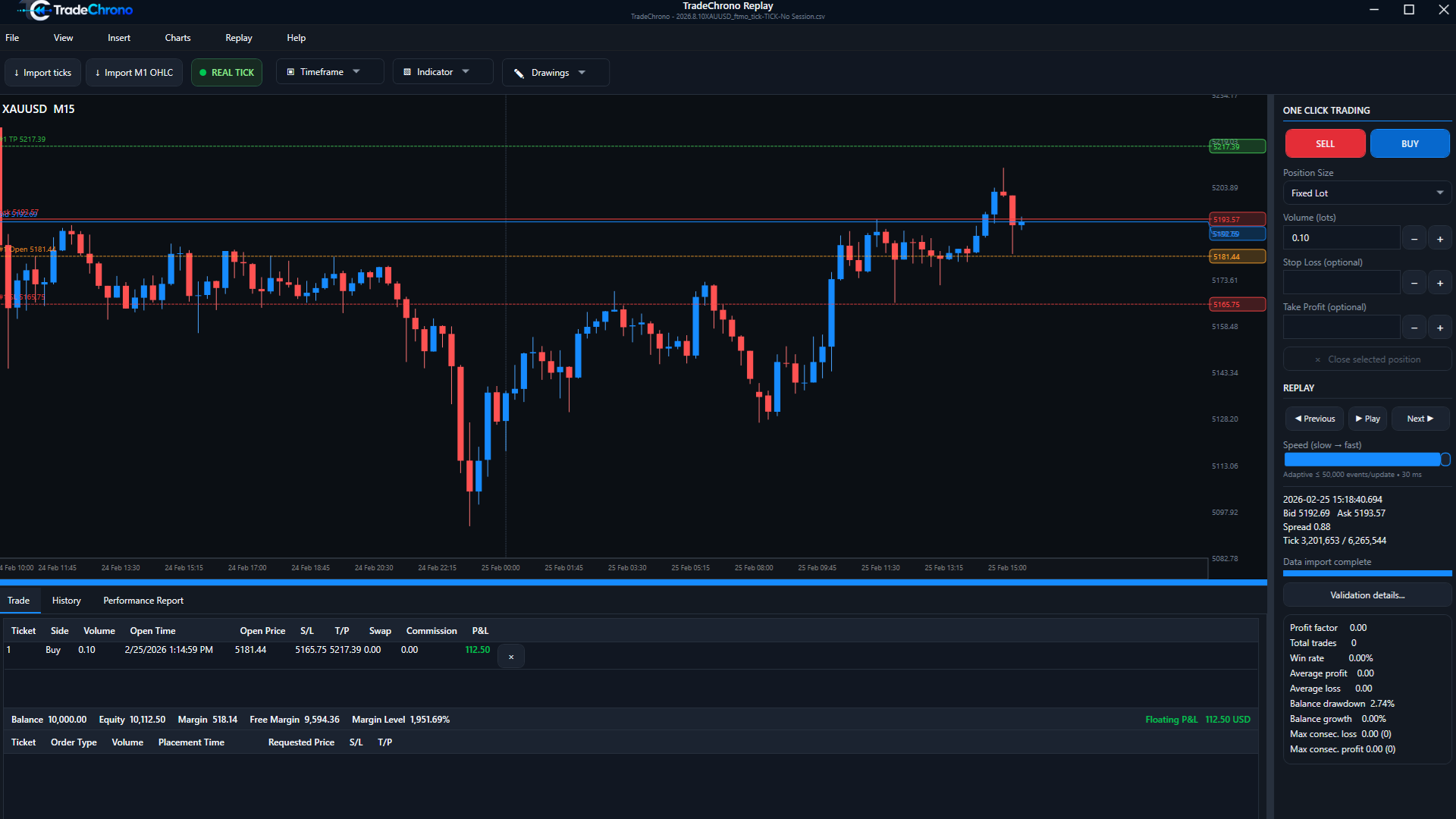
Work through market and pending orders, SL/TP, trade modification, partial closes, commission, swap, and stop-out behavior in a familiar manual workflow.
View detailsWindows desktop software
Windows desktop historical market replay and manual Forex backtesting. Place MT5-style simulated trades and test your strategy before risking real money.
TradeChrono is historical market replay and manual backtesting software. It does not execute live trades, operate as a broker, hold or transfer customer funds, provide currency-exchange services, trading signals or personalized investment advice, or guarantee profits or trading results.
01 / THE PROBLEM
Live markets reveal setups slowly. That makes a discretionary process difficult to evaluate consistently across enough examples.
TradeChrono creates a repeatable historical replay environment where manual traders can practice the decisions, execution, and review process on prior markets.
Built for the manual workflow
TradeChrono keeps the chart and manual trade lifecycle at the center of the backtest.
Work through market and pending orders, SL/TP, trade modification, partial closes, commission, swap, and stop-out behavior in a familiar manual workflow.
View detailsReplay validated historical datasets with Real Tick data or deterministic M1 Synthetic mode, without turning a backtest into a black box.
View detailsTradeChrono is designed for traders who read the chart and make each decision themselves—not for automated EA optimization.
View detailsHow it works
Bring a supported historical dataset into a validated replay session.
Move through market history at the pace your testing process needs.
Use an MT5-style manual order and position workflow from the chart.
Review results, costs, behavior, drawdown, and exports after the session.
The product
Move through validated historical markets with Previous, Play, Next, and adjustable replay speed while keeping the chart in view.
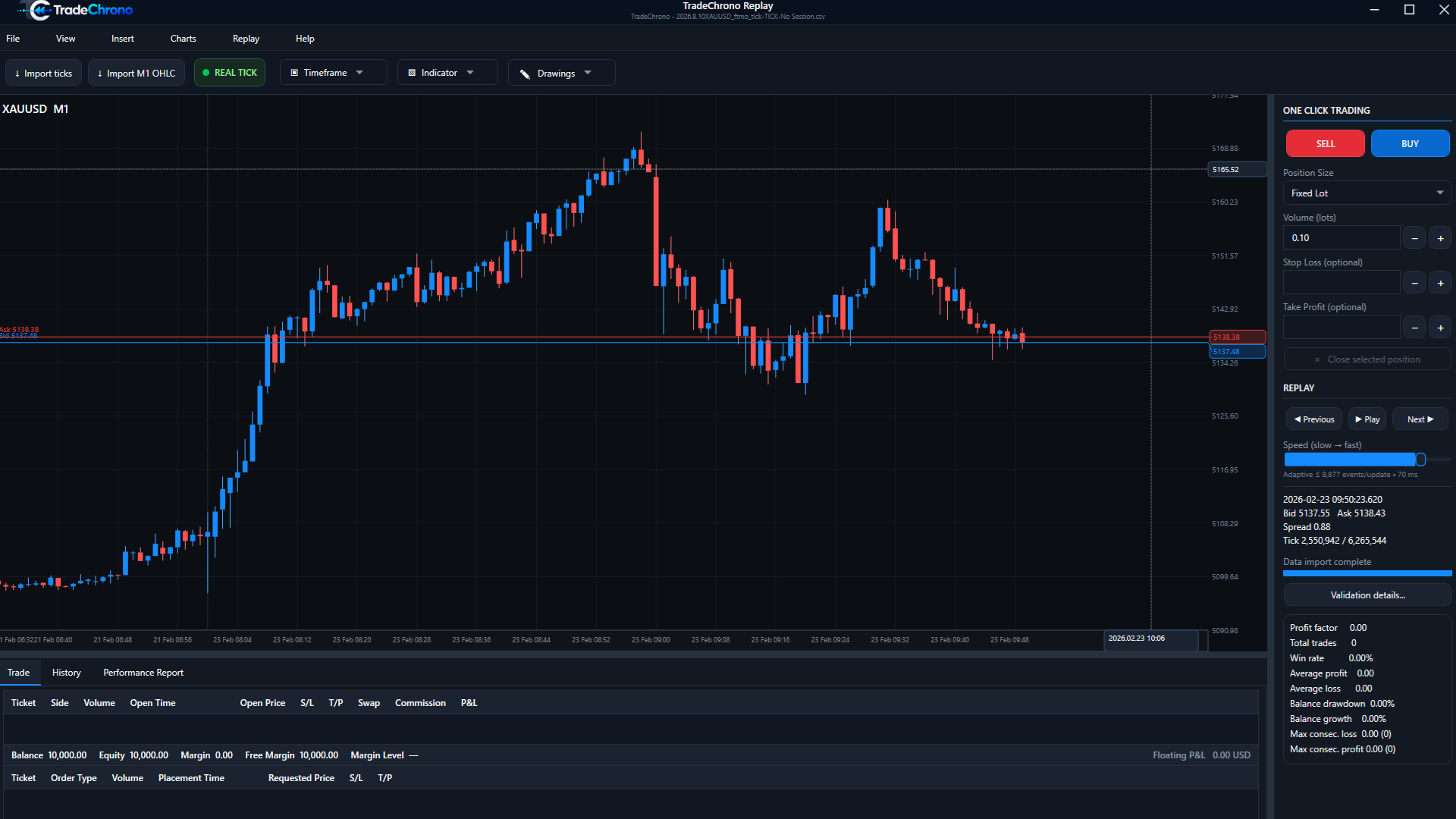
Simulated execution
Place simulated BUY or SELL orders, define SL/TP, and inspect open trade levels without connecting a live account.
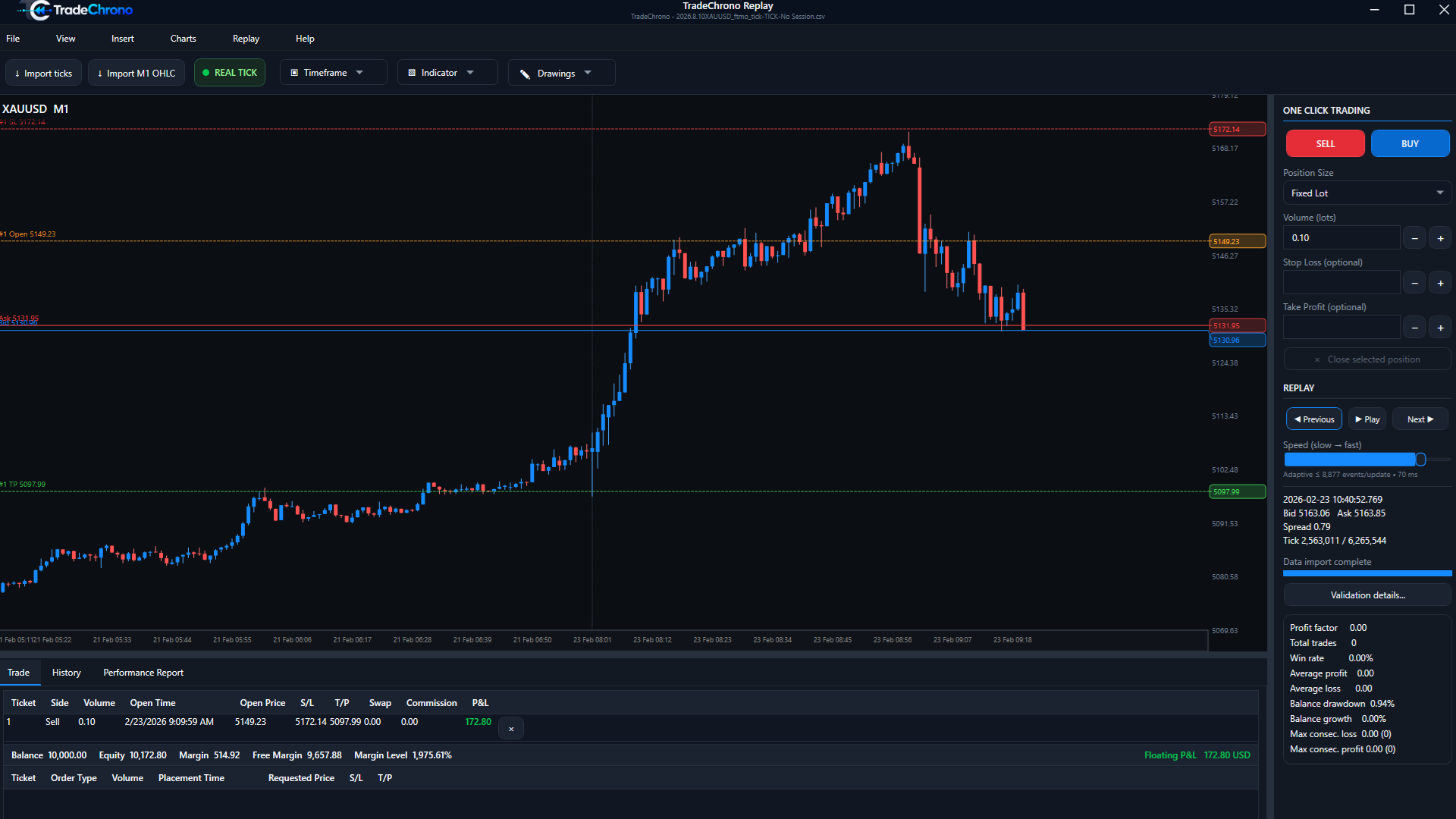
Chart analysis
Use trend lines, Fibonacci levels, and moving averages to document a manual setup.
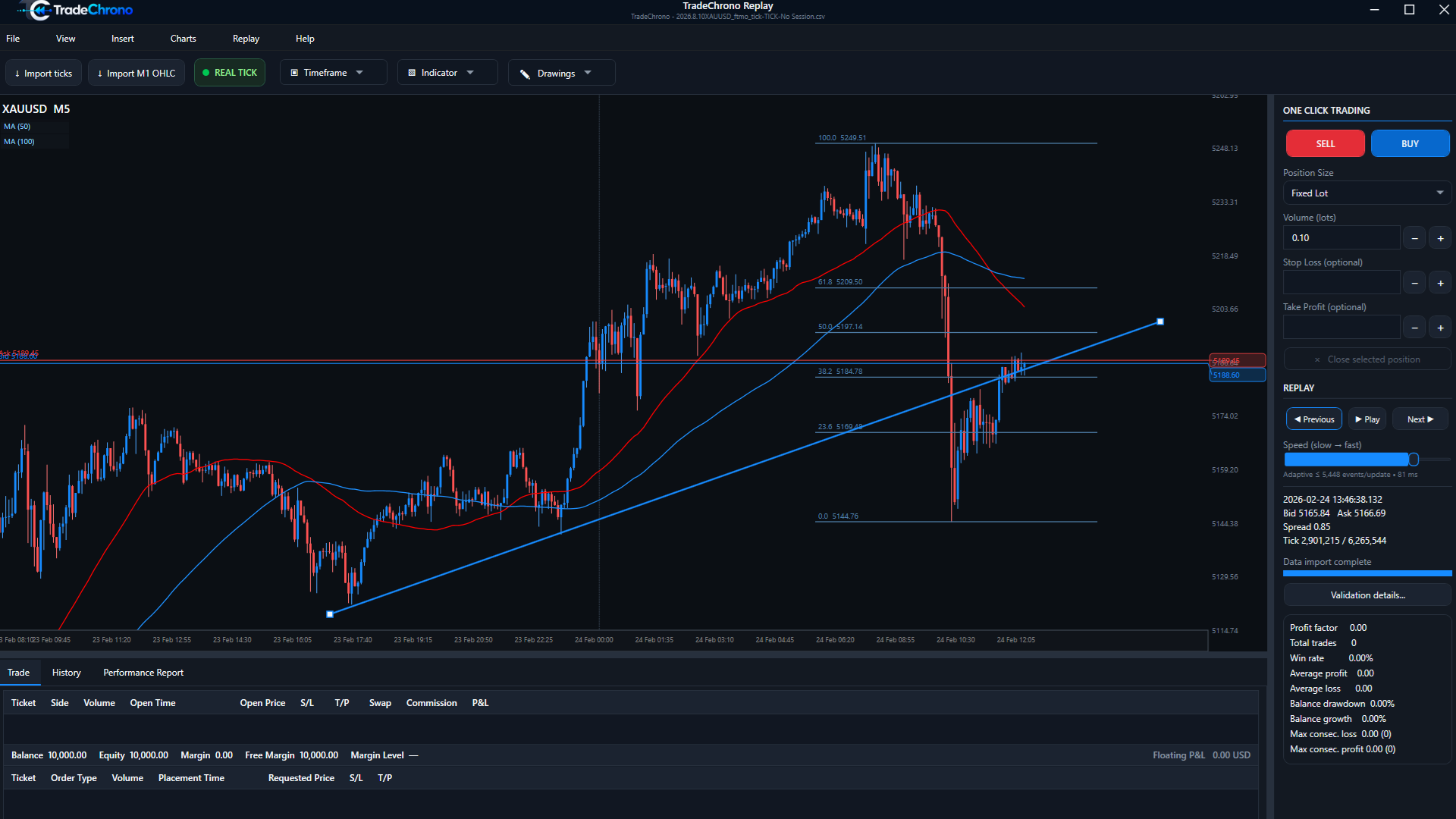
Indicators
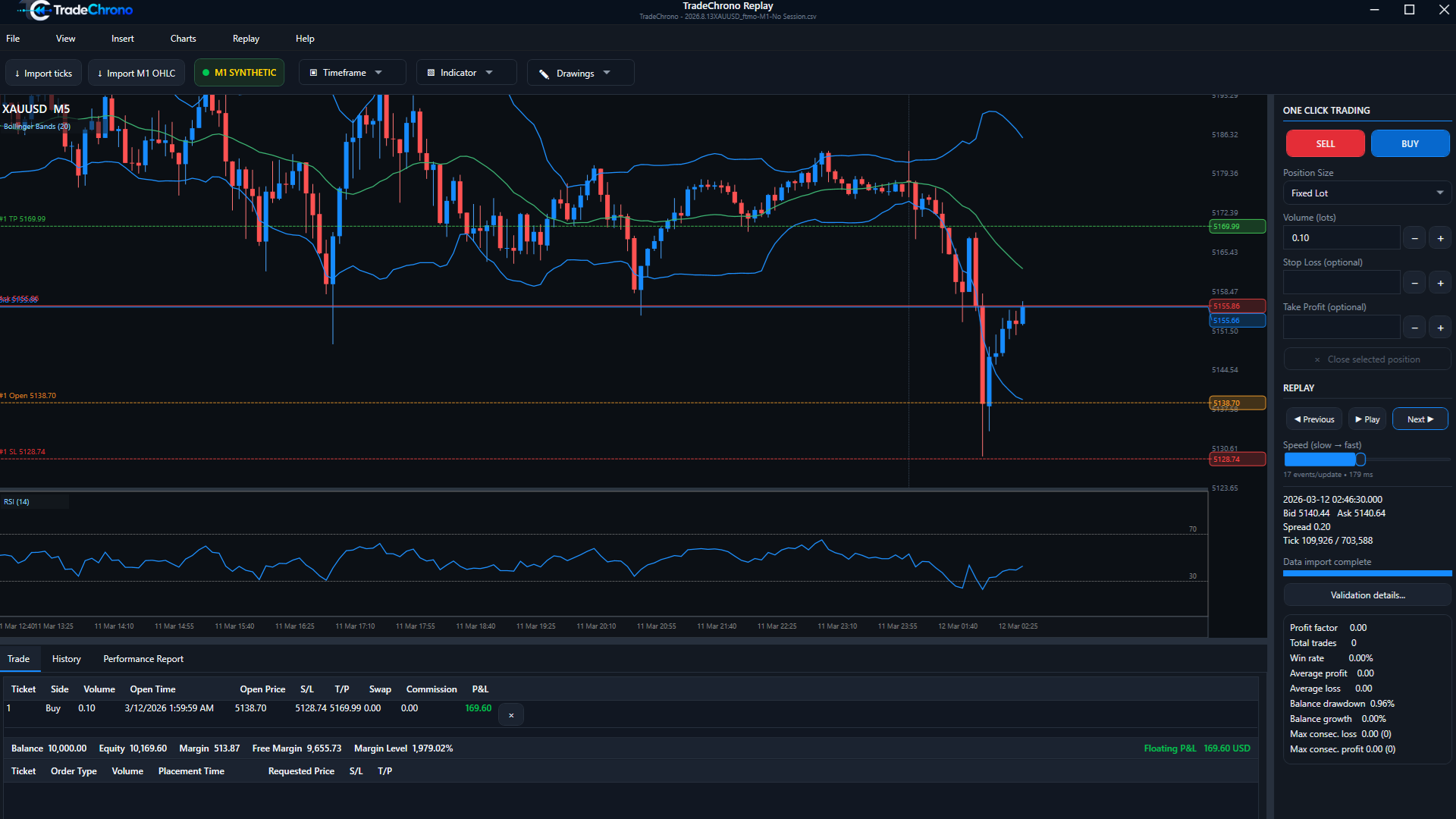
Study historical price action with Bollinger Bands, RSI, and separate indicator panes.
Data integrity
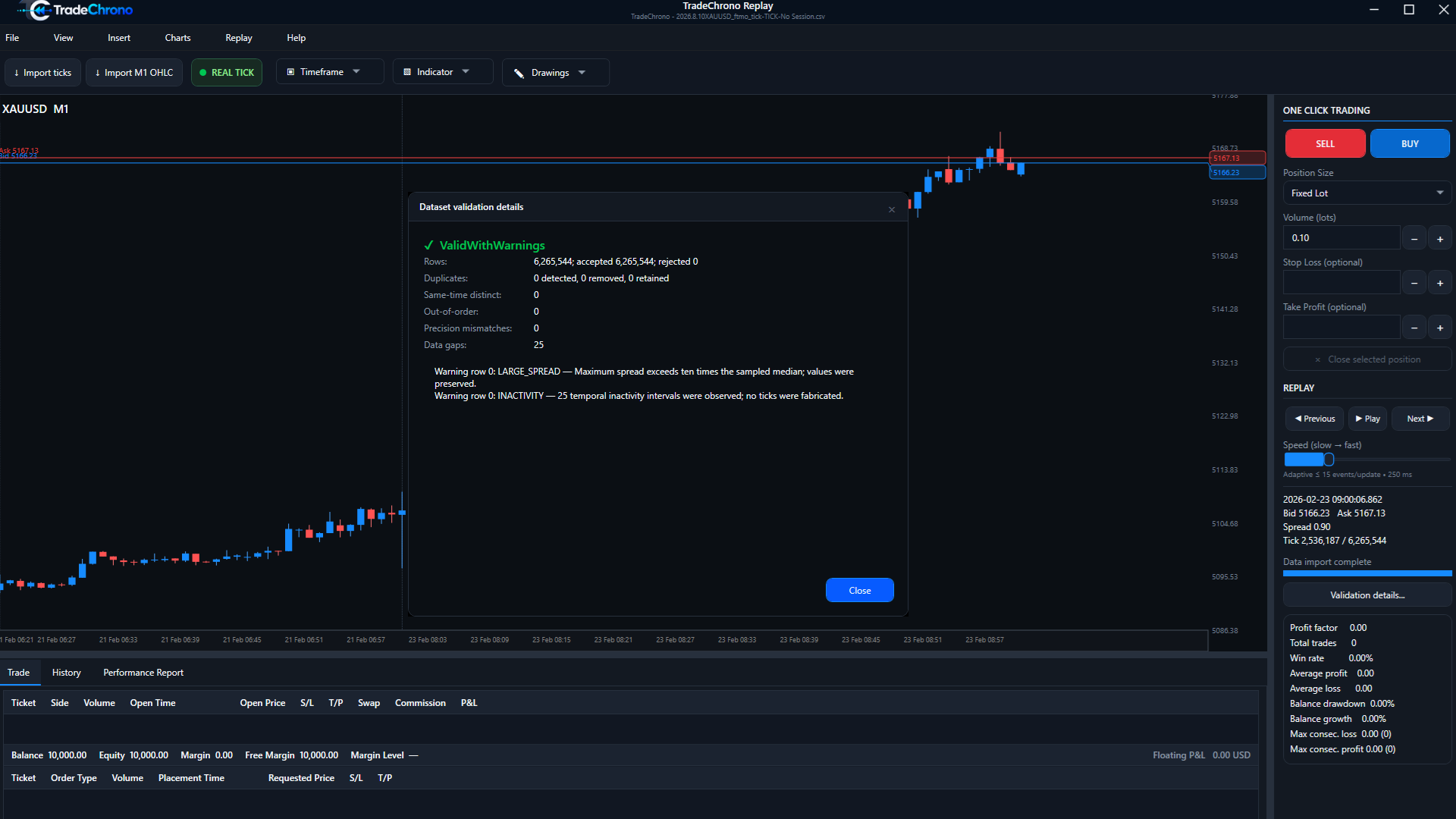
Review duplicates, ordering, gaps, spread warnings, and inactivity intervals through the built-in validation workflow.
Core capabilities
Move through prior markets without waiting for the next live setup.
02Choose tick-level replay or deterministic M1-derived simulation.
03Use familiar manual order, position, and chart interactions.
04Test Buy Limit and Sell Limit entries as part of the strategy workflow.
05Set and adjust protective and target levels while replay continues.
06Build the chart context used by a discretionary or rule-based process.
07Preserve replay state, layout, and progress between testing sessions.
08Review outcomes, costs, trade behavior, equity, and drawdown.
Reports
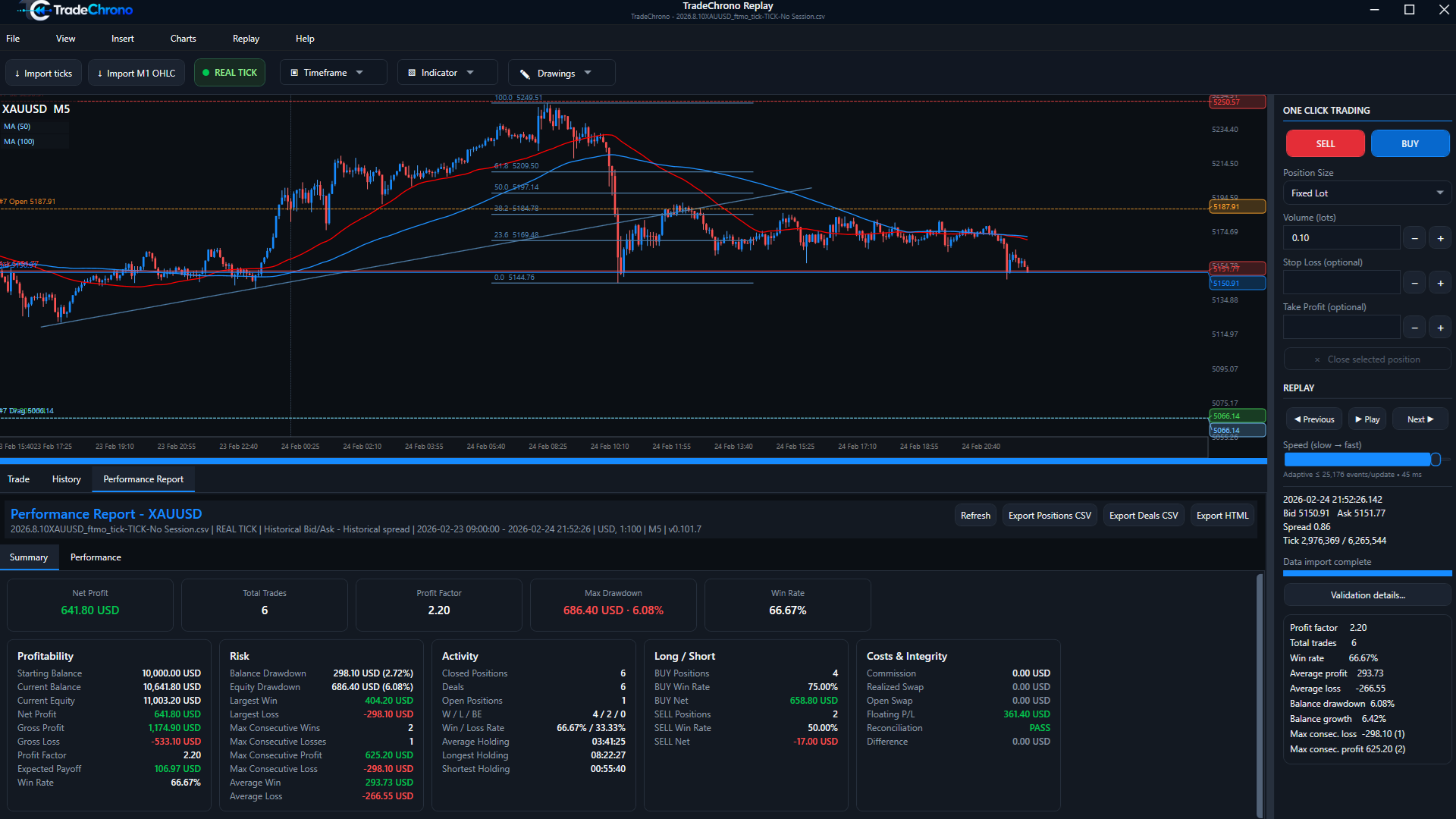
Study total result and costs, BUY/SELL behavior, streaks, holding time, balance, equity, and drawdown. Export results to CSV or an offline HTML report.
Trade review
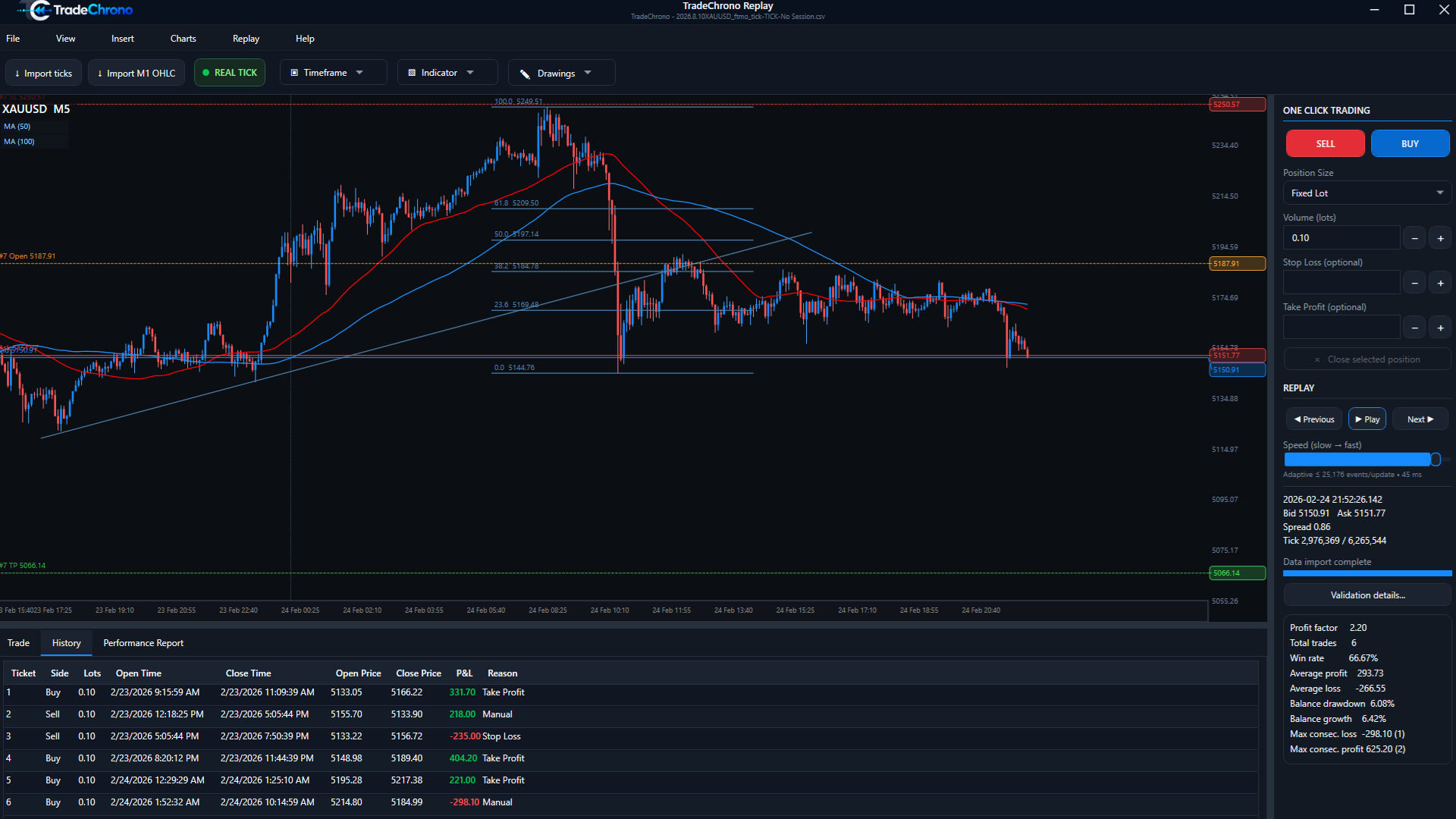
Trade History keeps entries, exits, position size, result, and close reason visible after the replay.
Free Demo
No credit card required. The planned Windows demo will demonstrate the manual replay and simulated trading workflow. Exact demo limitations will be shown clearly before Commercial V1.0 launch.
Planned pricing
Founder and Standard licenses have the same planned functional entitlement. Founder pricing is reserved for the first 200 customers.
Launch pricing for the first 200 customers.
1 user · up to 2 PCs · v1.x updates includedAvailable at launchStandard Commercial V1.0 license.
1 user · up to 2 PCs · v1.x updates includedAvailable at launchTradeChrono for Windows
Replay the market. Make the decisions. Review the evidence.